
New Web Client, Advanced Queue Features & Smarter AI Updates
The latest update brings a fresh Web Client design, improved call center queue features, and smarter AI enhancements. This version focuses on making communication faster, easier, and more efficient for businesses.
The Web Client has been redesigned with better navigation, an improved dialer, and a cleaner team view. Along with this, queue management for enterprise call centers has been upgraded to give better control over call flow, waiting time, and customer experience.
AI improvements are also continued from the previous update, with better models, improved prompt handling, and enhancements to the Personal Assistant. Additionally, admins get new tools like simplified holiday settings and a custom VoIP provider template builder.
This update is packed with powerful features. More detailed guides will be shared soon, but here’s a quick overview of what’s new.
Complete Redesign of the 3CX Web Client
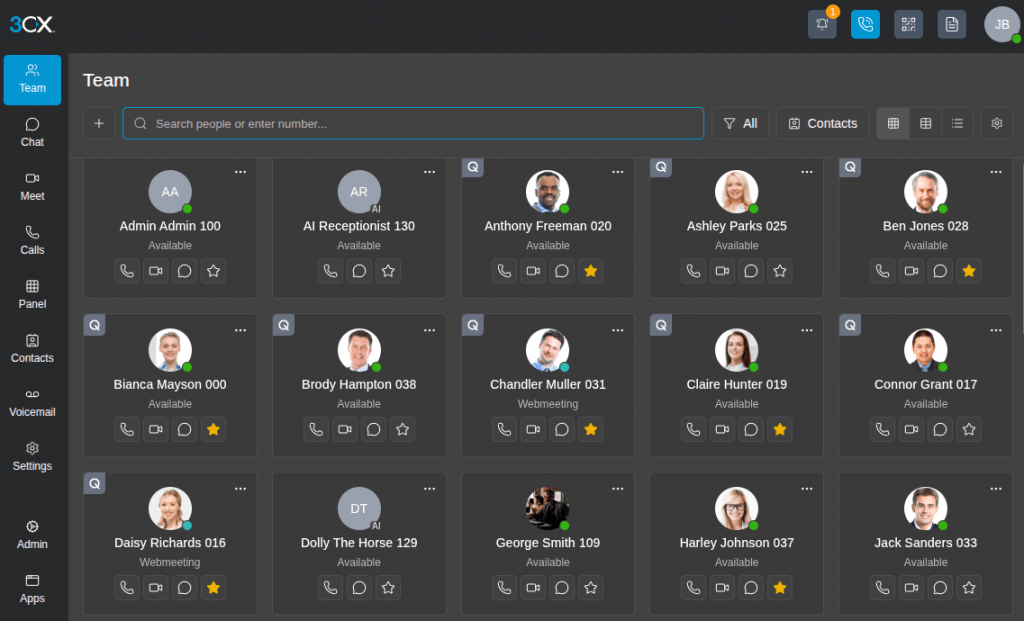
This update introduces a major visual upgrade to the Web Client, making it more modern and user-friendly.
Almost every section has been improved, including:
- Team View
- Dialer
- Chat
- Call History
- Contacts
- Voicemail
- Settings
The new design is cleaner and less cluttered, helping users complete tasks more quickly.
The Team View now comes in different display modes like comfortable and compact, allowing users to manage more calls and extensions at once. This is especially useful for receptionists handling a large number of calls.
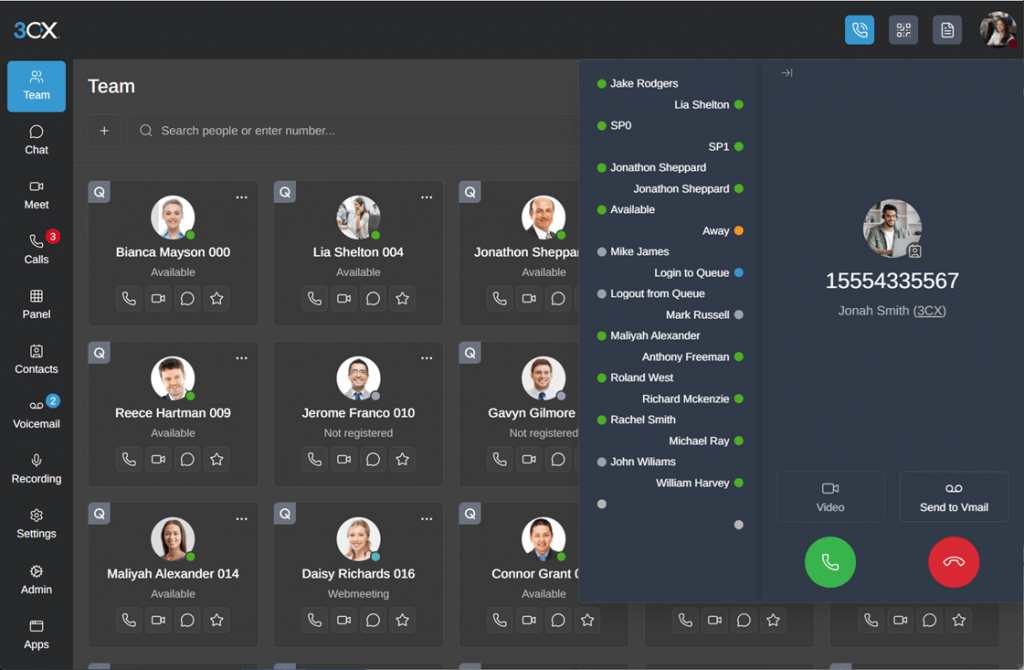
The dialer is now simpler and easier to use, helping users make and manage calls without confusion.
Navigation has also been improved with a more straightforward menu, reducing the number of clicks needed to switch between sections. The PWA (Progressive Web App) setup process has also been made smoother and easier.
Advanced Queue Features for Call Centers
This update introduces powerful improvements in queue management, making it ideal for real call center environments.
Here are the key features:
- Callback on Request
Customers can now choose to request a callback instead of waiting on hold. - Time-Based Escalation
Calls can be automatically forwarded if they are not answered within a set time. - Cumulative Ringing
Multiple agent groups can receive calls at the same time without interrupting earlier ones. - Comfort Messages
Callers can hear helpful messages while waiting in the queue. - Estimated Wait Time
Wait time is calculated based on real agent activity, not fixed assumptions. - No Answer Message
A custom message can be played before sending calls to another destination.
These features help businesses improve customer experience and manage call flow more efficiently.
Real-Time AI Improvements
The system continues to improve its AI capabilities to deliver better performance and smarter automation.
Some key updates include:
- New real-time AI models for faster and smoother interactions
- Support for advanced models like OpenAI GPT models, improving response quality
- Better prompt handling for more accurate results
More detailed guides on AI setup and optimization will be shared soon to help users get the best results.
Other Important Updates
Here are some additional improvements included in this release:
- Total number of user extensions is now visible in the admin panel
- SMS API now supports more providers
- New Custom VoIP Provider Template Builder to create and save your own provider settings
- Remote syslog support to send system logs to external servers (UDP, TCP, TLS)
- Holiday prompts are now easier to manage, with different messages for different holidays directly from the interface
How to Get Started with Update 9 Alpha
To try these new features, follow these steps:
- Log in to your Admin Console
- Go to System > Updates
- Select Update 9 Alpha and click Download
⚠ Note: This is an Alpha version, which means it is meant for testing only. It is not recommended for live or production environments.
Join the Discussion
Join the 3CX discussion in our dedicated Customer Forums.